

Welcome to the hundreds* of new subscribers to The Sequencio Signal who joined us since last week!
* not really hundreds - yet, it was just fun to say 😂 Manifestation, right?
This AI Automation of the Week is brought to you by one of my favorite tools …
Instantly.ai 👉 My go-to hands-free cold email automation wizard
Instantly helps you find warm leads, scale email campaigns, reach primary inboxes, engage smarter and win more with AI.
Make.com 👉 The ultimate automation powerhouse for SaaS workflows
Make.com lets you build custom automations without code, seamlessly integrating your favorite apps to streamline tasks, boost efficiency, and scale your business on autopilot. 🚀
Apollo.io 👉 My top pick for getting the highest quality leads
Apollo.io digs deep to unearth quality leads. It’s built for hard-charging teams that demand results. Reach your prospects directly, engage smarter, and close deals with data-driven insights.
Interested in advertising with us? → Get in Touch
Once upon a time, there was a founder named Joe. Joe was that guy
the builder
the brainstormer
the one scribbling on napkins in airports and snapping whiteboards after every strategy huddle.
Every day, Joe promised himself he’d organize those photos later. But “later” never came. His Google Drive ballooned with screenshots, receipts, sketched funnels - a digital attic where bright ideas went to die.
Sound familiar? If you’re subbed to this newsletter, it should.
One day, Joe found himself flipping through fifty grainy photos looking for that one phone number from a napkin at last year’s conference.
He lost an hour.
He nearly lost a lead.
He nearly lost his mind.
Because of that, Joe decided to automate his mess. He didn’t want to become some monkish note-taker; he wanted gDrive to do the boring work for him.
So he set up this week’s automation:
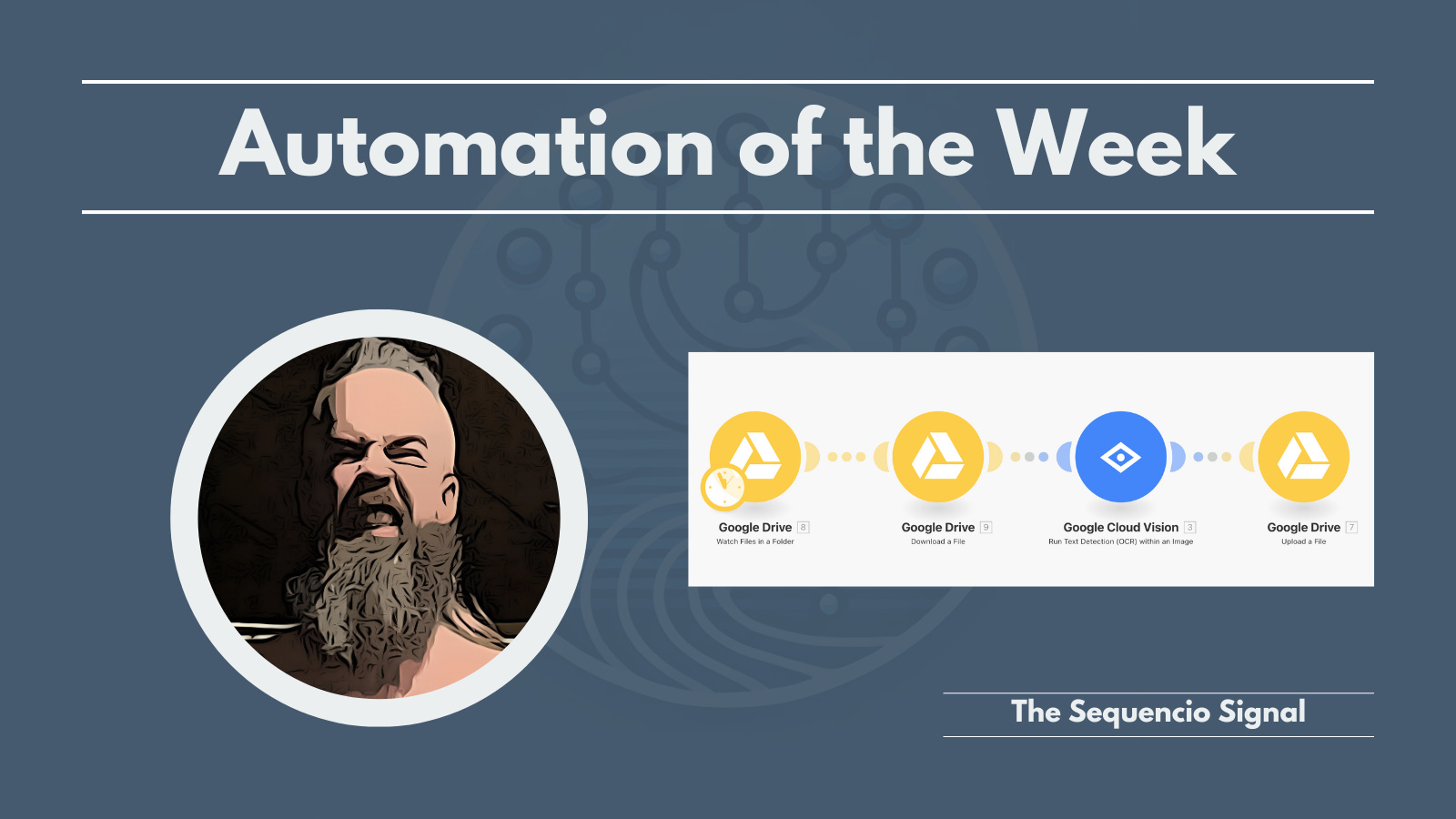
Whenever he tossed an image into Drive, the system read every word using Google Cloud Vision (OCR) - like having a tireless intern with perfect eyesight and zero complaints.
Then it saved that text neatly back to a new Drive file, named, dated, and ready to search.
No more manual hunting. No more copy-paste marathons. No more lost napkins.
In a word …

🔑 Why This Matters (For Real Humans Like Us)
This isn’t about fancy AI for the sake of AI.
It’s much more about trusting your tools so you can trust your brain.
✅ Turn chaos into clarity: Whiteboard photos, signed contracts, handwritten receipts all become searchable, editable text.
✅ Never rewrite notes again: Grab a photo, drop it in Drive, done. The system handles the grunt work 💪
✅ Sharpen your memory: With a few keywords, find any old sketch or note. Much less … “Where did I save that shit again…?”
✅ Zero effort maintenance: It runs on autopilot. You set it once. It hums in the background while you work on bigger things.
🧰 How It Works (Simple, but Mighty)
This Make blueprint ties three everyday tools together:
Google Drive: It watches a folder you choose. <aybe call it “Incoming Images”?
Google Cloud Vision: It reads the text in each image. Yes, even your grade school chicken-scratch handwriting.
Make: It saves the extracted text to a fresh file in a second folder. This lets you can sort, search, and share it however you want.
Quick Win:
Want an instant upgrade?
Combine this with Drive’s built-in search. Now, your messy folder of receipts becomes a keyword-huntable archive.
Need that old invoice? Type a name - boom, shacka-lacka.
🚀 Your Turn
Ready to free your brain from Drive clutter?
Question of the Week
What’s your version of Joe’s napkin?
Got a folder full of snapshots you wish were searchable text?
Hit reply. Tell me the messiest photo you’ve got, maybe we’ll tackle that next (unlikely, but who knows! ).
Until next Wednesday,
Stay sharp, automate smart and never lose another napkin.

Barret J. Nobel
DadFit Automations & Ghostwriting
P.S. The real hero isn’t AI. It’s you, putting tedious chores on autopilot so your best ideas never get buried again.
Nice story telling here to get the idea across mate!